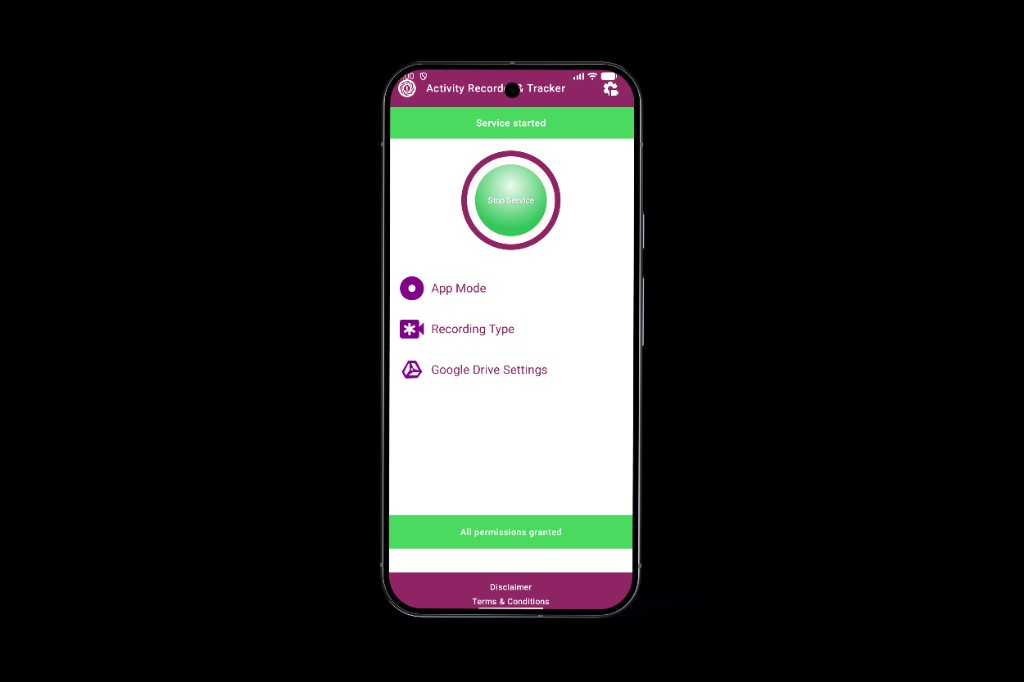
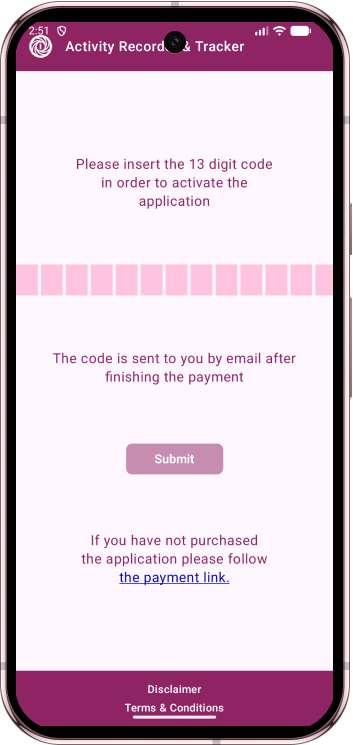
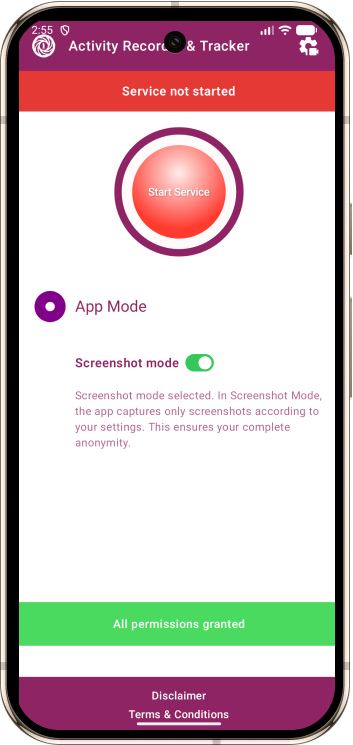
The affordable screenshot monitoring app that shows you everything — without GPS bloat, transcript overhead, or $200/year price tags. Just screenshots. Just $12.
Radically affordable, ultra-lightweight, and built to stay out of the way.
💰
Radically Affordable
$12 one-time payment. No monthly fees, no hidden costs. Other apps charge $12–29 per month. We charge it once.
⚡
Ultra-Lightweight
No GPS draining battery. No transcripts hogging storage. Just automatic screenshots and videos — the only data you actually need.
🔒
Completely Invisible
Stays hidden after setup. Auto-starts on reboot. Files sync directly to your private Google Drive. Zero footprint.
Most Monitoring Apps Are Overkill (And Overpriced)
Do you really need GPS tracking when you just want to see what apps they're using? Do you need call transcripts when screenshots already show the messages? Activity Recorder & Tracker cuts through the noise.
We do one thing perfectly: capture screen activity as screenshots or video, automatically sync to your cloud, and stay completely invisible. That's it. No bloat. No subscription. No $200/year shock.
How it works
Download once, pay once — No recurring fees
Choose your recording mode — Screenshots, video, or smart auto-switching
Connect your Google Drive — Files sync automatically when on WiFi
View files in your Drive — Only you have access, organized by date
Built for responsible, consent-based monitoring
Use AR&T only where you have the right to monitor the device — parents on family phones, disclosed workplace devices, or your own phone.
👨👩👧
Parents
Keep kids safe online without breaking the bank. See what social media they use, what videos they watch, who they message — all through automatic screenshots. No need for $15/month subscriptions when screenshots show everything.
💼
Small business owners
Monitor company-owned devices for productivity and data security. See how employees use work phones, track time on business vs. personal apps, and protect confidential information. Legal when employees are informed, affordable for any budget.
📱
Personal trackers
Track your own device usage. Create a visual diary of your screen time. Perfect for productivity analysis, digital detox goals, or just understanding your phone habits better.
Privacy first: This app does not collect location, passwords, contacts, messages content (only screenshots), or financial data. All files go to your cloud only.
Core features
Recording modes, triggers, and sync — tuned for clarity, not feature bloat.
📸 Recording modes
Screenshot mode — Available in current version of the app: silent snapshots at custom adjustable intervals (every 2, 5, 10 seconds).
Auto mode — Will be available in the next version: smart switching between screenshots and video modes, based on the user activity to ensure full anonymity.
Video mode — Will be available in the next version: continuous video screen recording with adjustable quality and FPS, but will stop anonymity.
⚙️ Recording triggers
On screen unlock — The app will start automatically the selected recording mode when the device screen is unlocked and becomes active.
In selected apps — The app will start automatically the selected recording mode only inside chosen applications from the list of installed ones (ex: TikTok, Instagram, Facebook, Chrome, etc.).
☁️ Cloud sync
Auto-uploads to your Google Drive when connected to WiFi.
Local backup on device if offline.
Your cloud, your data, your control. We never see your files.
Competitive comparison
Same job — visual proof — without the enterprise price tag.
Feature
AR&T
mSpy
FlexiSPY
Qustodio
Price
$12 once
$140/year
$149–350/year
$137/year
Screenshot recording
✓ Yes
✓ Premium
✓ Extreme
✗ No
Video recording
✓ Yes (future version)
✗ No
✗ No
✗ No
Cloud sync (your Drive)
✓ Yes
✗ Their servers
✗ Their servers
✗ Their servers
Battery impact
Minimal
Heavy (GPS)
Heavy (GPS)
Moderate
vs. mSpy
“Why pay $140/year when screenshots show everything? mSpy charges monthly for features you don't need. We give you what matters — visual proof — for $12 total.”
vs. FlexiSPY
“FlexiSPY costs up to $350/year and requires tech expertise. Our app is simple, invisible, and costs $12 once. No complexity, no subscriptions, just screenshots.”
vs. Qustodio
“Qustodio is great for screen time limits, but lacks screenshot recording. If you want to SEE what they're doing, not just block it, AR&T gives you visual proof at 91% lower cost.”
vs. all competitors
“Most monitoring apps are overpriced, battery-draining, and full of features you'll never use. Activity Recorder & Tracker does one thing perfectly: capture what's on screen and sync to your cloud. No GPS bloat. No $15/month shock. Just $12, once.”
Frequently asked questions
Pricing, storage, visibility, and legal use — straight answers.
How much does Activity Recorder & Tracker cost?
Just $12 as a one-time payment. No monthly subscriptions, no hidden fees. Unlike mSpy ($140/year) or FlexiSPY ($149–350/year), you pay once and own it forever. That's 89–94% cheaper than other monitoring apps.
Where are my recordings stored?
All screenshots and videos upload automatically to your Google Drive when the phone has WiFi. Files are stored locally on the phone until upload. If you don't connect Google Drive, files stay on the device only. We never have access to your files — they're yours and yours alone.
Is Activity Recorder & Tracker invisible on the phone?
Yes, completely invisible after installation. The app hides its icon, runs silently in the background, and auto-starts when the phone reboots. There's no indication it's running — which is why you must only use it with proper consent and legal authority.
Do I need GPS tracking for parental control?
Most parents don't. If you just want to see what apps they use, what videos they watch, and who they message, screenshots show everything. GPS tracking drains battery and costs $140+/year. Our app focuses on what you actually need: visual proof of screen activity.
Can this app be used for employee monitoring?
Yes — on company-owned devices, when employees are properly informed, AR&T can help you see time on work vs. personal apps and reduce data-leak risk. Important: employees must be informed of monitoring for legal compliance in your jurisdiction.
Why are screenshots better than full message monitoring?
Screenshots show context: the actual app interface, profile pictures, images, videos, and exactly how the device is being used. You get visual proof that transcripts alone can't provide, plus it uses way less storage and battery.
Stop overpaying for features you don't need
Get the lightweight, invisible, affordable monitoring app that actually works.